
Art Studio & Photography Portfolio System
Portfolio website development for art studios and photographers, with organised collections, featured work, image galleries, and simple content editing.
Overview
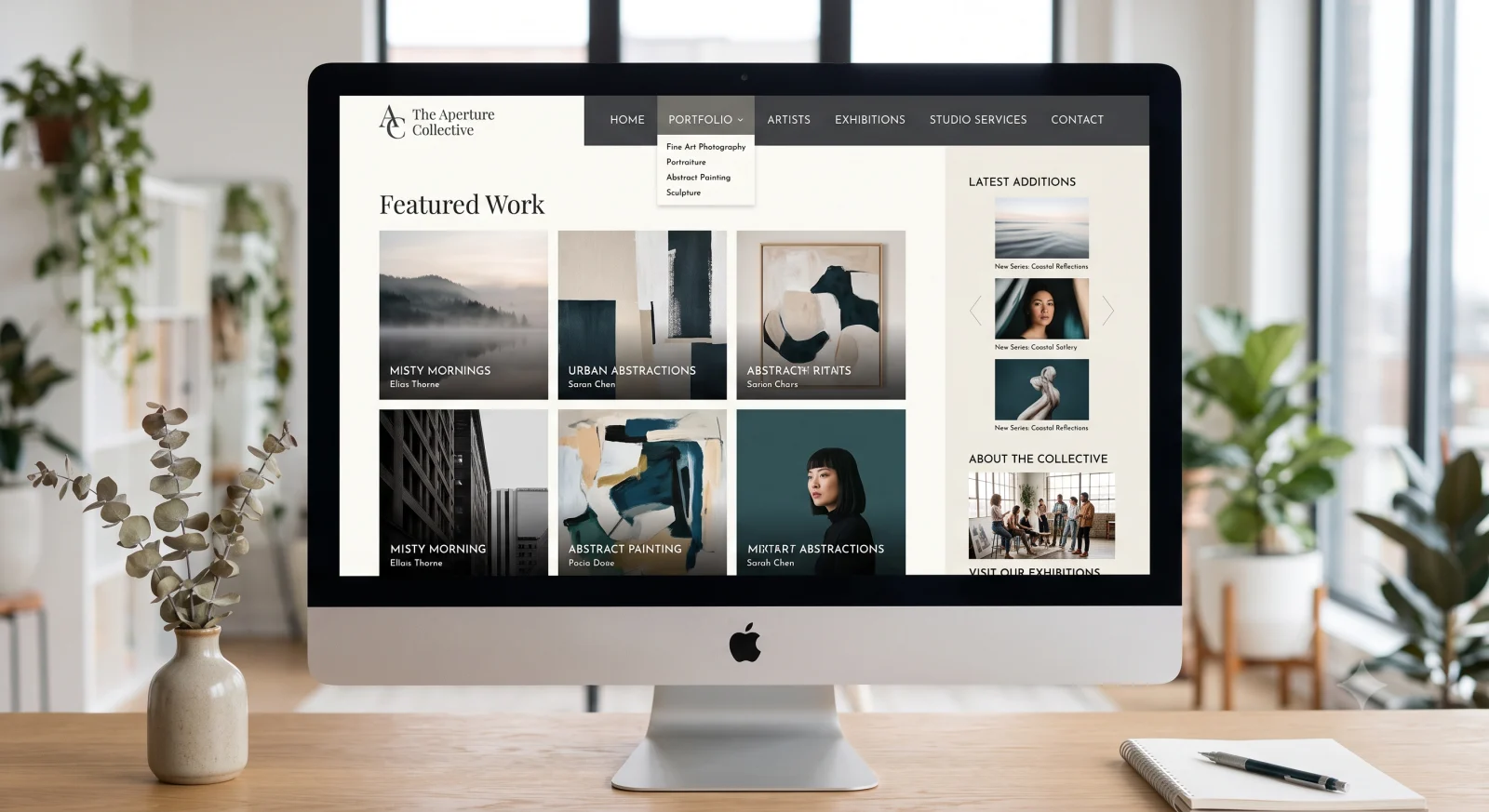
A portfolio website gives your work a considered setting and helps a potential client understand your style, range, and services. Our art studio and photography portfolio system combines category-based collections, featured pieces, and detailed image galleries in a website your team can keep up to date. It suits studios and independent creatives who need a home for their work beyond a social media feed.
We organise the portfolio around how visitors browse and compare. Collections might follow a medium, project type, subject, or service, depending on the work you want to attract. Individual entries can provide useful context alongside the images, such as the project brief, materials, or type of commission, using details you supply and approve. This gives each page meaning beyond the photograph alone.
Image presentation must balance visual quality with a comfortable browsing experience. We plan suitable crops, gallery structure, and responsive layouts, with attention to image sizes and descriptive text. Featured work on the homepage can introduce the studio's current focus while the wider catalogue lets visitors explore at their own pace.
The administration workflow supports adding new work, selecting featured entries, and maintaining the agreed categories. Before launch, we review the supplied images, usage rights, project descriptions, and the preferred enquiry route. Online purchasing, booking, private client galleries, and other additional features are discussed explicitly if required. The finished scope provides a clear, maintainable portfolio that can develop alongside your creative practice.
Why it helps
- Present your work in collections that reflect how clients choose a studio or photographer.
- Give each project context through approved descriptions and supporting images.
- Keep recent and representative work visible through homepage features.
- Update your portfolio as new commissions or collections become available.
What's included
- Category-organised portfolio and individual project or piece pages.
- Featured work sections on the homepage.
- Image galleries with multiple photographs per entry.
- Responsive presentation and appropriate image preparation.
- Administration panel for categories, work entries, and featured selections.
How we work
- 01 Curate: select representative work, useful categories, and the clients you want to reach.
- 02 Plan: agree page structure, image presentation, project details, and enquiry routes.
- 03 Build: customise the portfolio and populate the agreed initial collection.
- 04 Review and hand over: check galleries across screen sizes and practise adding a new piece.
Case study
Illustrative case study: organising a studio's mixed portfolio
The challenge: A studio has strong work across several disciplines, but visitors must scroll through an undifferentiated image collection to find relevant examples.
The approach: Create clear collections, select representative homepage features, and give each project a short contextual description with supporting photographs.
What to evaluate: Ask a prospective client to find work related to a particular commission and locate the enquiry route. Check that the studio can publish new work without disrupting the collection structure. This scenario is illustrative and does not attribute results to the linked portfolio demo.